What a Modern Jewellery Content Creation Tool Actually Does
In a category where microscopic details decide perceived value, a modern jewellery content creation tool compresses the path from concept to commerce. It takes inputs as varied as hand-drawn sketches, CAD exports, and quick product photos and turns them into consistent, studio-ready images. The best platforms translate design intent into lighting, camera, and material behaviors that mirror a real set, while removing the bottlenecks of scheduling shoots, moving samples, and correcting inconsistencies at the last minute.
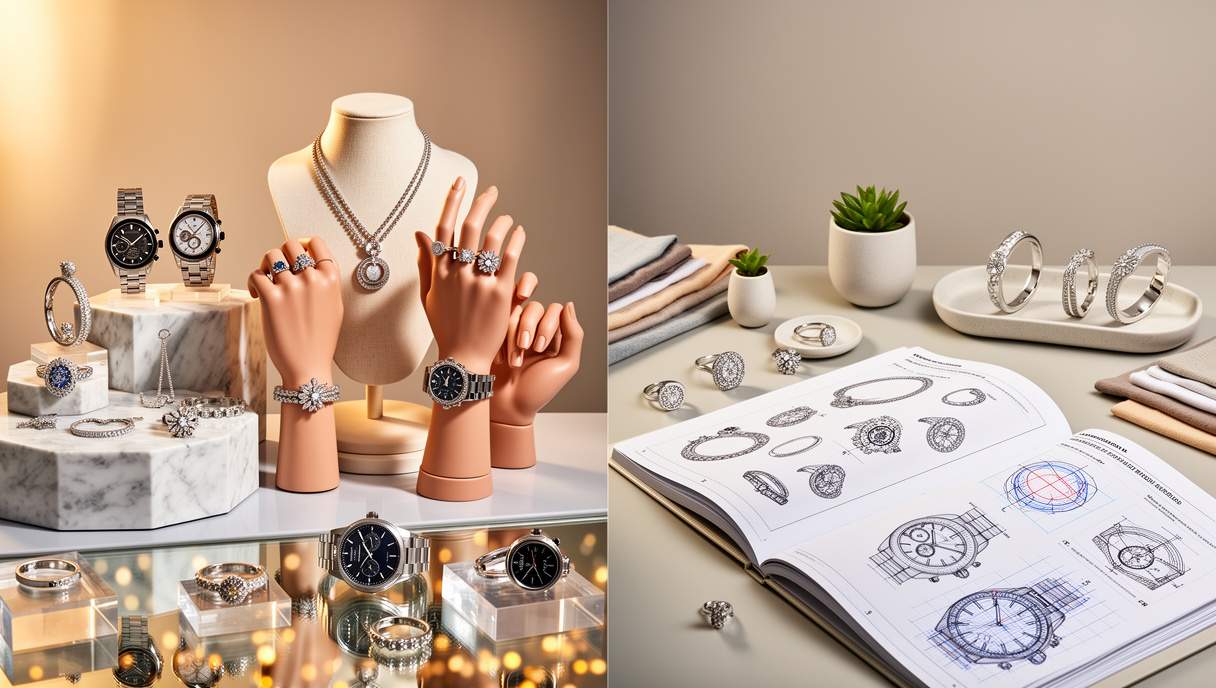
Instead of relying on static retouching workflows, today’s systems provide a drag-and-drop studio where scenes are constructed deliberately. Users select prebuilt templates for packshots, on-model compositions, and lifestyle campaigns, then refine camera angles, macro focus, depth-of-field, and shadow behavior to suit each collection. The platform carries those decisions across every angle and variant, so a delicate pavé halo reads with the same clarity whether it’s shot head-on, three-quarter, or in a stacked ring set.
Material accuracy is at the heart of believability. Advanced engines reproduce the way precious metals absorb and reflect light: the subtle bloom of high-polish platinum, the warm undertone of 18K rose gold, the diffusion of brushed finishes, the softened edges of antique patina. Gemstones present their own challenges—dispersion, refraction, scintillation, and table polish all affect realism. A capable tool emulates these optical signatures under multiple HDR lighting environments, preserving fire in diamonds and color zoning in sapphires without the plastic sheen that plagues rudimentary renders. The result is photorealistic sparkle that survives close inspection.
Equally important is scale. A single pendant can exist in a dozen metal and stone combinations. With batch controls, templated scenes, and variant mapping, teams generate entire matrices of options in minutes. Shadows, reflections, and horizon lines remain consistent across every SKU. Automatic output in 2K and 4K ensures the same master file serves zoomable product pages, high-resolution marketplace requirements, and print-ready PDFs—without regenerating assets from scratch. Intelligent edge handling, contact shadows, and color-managed exports reduce the heavy lifting traditionally left to retouchers.
Finally, a sophisticated studio respects brand governance. Style presets lock exposure, white balance, background hue, and camera distance to protect continuity across seasons. Built-in checks for metal color drift, gemstone hue consistency, and prong definition prevent surprises when collections sit side-by-side online. Color profiles and soft-proofing help teams bridge the gap between screens, print, and out-of-home placements, so a signature yellow gold remains unmistakable from Instagram to catalogue.
Why It Matters for E‑commerce, Social, and Print: Measurable Benefits
Time-to-market is everything when launches stack up against trade shows, gifting peaks, and seasonal drops. A jewellery content creation tool removes the long tail of coordination: couriering prototypes, booking models, securing locations, and waiting on retouch rounds. Brands can merchandise pre-production designs as soon as a CAD is approved, building imagery for PDPs, lookbooks, and wholesale decks while physical samples are still in finishing. That acceleration often means listing full collections together, preserving upsell flows and cross-merchandising that would otherwise stall.
Conversion benefits follow visual consistency. Clear, crisp packshots with calibrated whites and controlled reflections reduce hesitation at the zoom level where shoppers decide on metal tone, claw finesse, or chain thickness. High-resolution (4K when appropriate) assets support magnification without aliasing prongs or washing out micro-pavé. Side-by-side comparisons—yellow, white, and rose gold variants or 0.25 ct to 1.00 ct jumps—become accurate and trustworthy. The ability to create nuanced angles (lobster-clasp close-ups, under-gallery views, ear fit) reduces unanswered questions that cause returns or chat escalations, while carefully staged on-model shots help buyers judge proportion and drape in real contexts.
On social media, speed and storytelling are decisive. With templated lifestyle scenes and on-body composites, teams adapt imagery to TikTok, Instagram, Pinterest, and ads without reinventing the wheel for each channel. Seasonal updates—warm coastal light for summer, moody velvet props for winter gifting—are swapped in minutes. Brand storytellers can test creative hypotheses quickly: minimal matte backdrops versus saturated jewel-toned sets, daylight versus softbox, or stacking guides versus single-hero shots. That agility supports A/B testing and creative refreshes that keep CPAs in check and creative fatigue at bay, particularly when scaling paid social.
Print, too, benefits from smarter pipelines. Wholesale lookbooks and sell-in decks demand CMYK-precise reds in rubies and consistent kerning of hallmarks in macro shots. The right studio automates bleed-safe crops, ensures 300 DPI accuracy, and maintains metal color fidelity under different paper stocks. For retailers juggling e-commerce alongside in-store collateral—shelf talkers, tent cards, window decals—the ability to repurpose master imagery without manual retouching cuts lead times while preserving a premium finish.
Consider a mid-sized luxury brand expanding from its own site to major marketplaces. Historically, a single collection required multiple studio days, couriered samples, and incremental retouching for each channel’s guidelines. By switching to an AI-driven visual studio, the team mapped CADs to scene templates, generated variant matrices for every metal and gemstone, and produced matching on-model crops sized per marketplace spec. The catalogue arrived at launch uniformly lit, consistently color-managed, and ready for both organic and paid placements. Instead of diverting budget to catch-up retouching, the brand reinvested in new creative angles and product education content that differentiated it in search and feed environments.
How to Evaluate and Implement a Jewellery Content Creation Workflow
Begin with realism benchmarks. Metals must pass strict tests: do mirror-polished surfaces bloom softly without banding? Do brushed finishes show authentic anisotropy? Can the system represent the subtle warmth shift between 14K and 18K yellow gold, or the cooler note of palladium white gold without turning grey? Gemstones should exhibit lifelike dispersion, crown fire, table reflections, and believable extinction, not uniform color fills. An AI-powered engine that handles micro-geometry, HDR lighting, and physical camera behavior will outperform flat filters or generic 3D pipelines when the subject is precious materials.
Next, examine workflow depth. A useful studio accepts multiple inputs—sketches for early concepts, CADs for precision, and photography for hybrid shoots—then standardises them with scene presets. Drag-and-drop modifiers for exposure, rim light, and angle shifts should be non-destructive, so adjustments cascade through a collection. Look for batch variant generation that maps product metadata (SKU, metal, carat weight) directly to output files, minimizing manual naming errors. Export controls ought to include transparent backgrounds, calibrated white backdrops, and lifestyle composites, with 2K and 4K masters rendered from a single scene to avoid duplicate setups.
Plan your rollout like a creative production sprint. Gather canonical assets: brand color profiles, hero light setups, approved camera distances, and retouch guidelines. Build a shot list that prioritises core angles for PDPs, detail macros for complex settings, and on-body crops that establish scale. Create a style matrix that pairs each product family with its matching template. Establish naming conventions for variants and embed alt-text guidance for SEO, so outputs are web-ready the moment they render. A short training session for designers and marketers on template usage, metal color QA, and gemstone hue checks saves hours downstream. Treat the first week as a calibration phase; lock presets before broad batch runs.
Consider systems integration early. Connect the studio to your CMS or PIM so SKUs, variant attributes, and metadata flow into the scene templates. Sync with your DAM to automate versioning, approvals, and rollbacks. Map exports to channel-specific needs: square crops for marketplaces, verticals for Reels, CMYK PDFs for print. Establish governance around watermarks for pre-launch concepts, legal notes for hallmarks and gemstone disclosure, and brand safety for model imagery. Performance-minded teams will also maintain lightweight web derivatives, reserving the heaviest masters for zoom and print on demand.
When comparing platforms, evaluate not only photorealism and speed, but also breadth: can one environment handle packshots, lifestyle campaigns, on-model imagery, and concept-to-reality design without juggling vendors? Solutions like the Jewellery content creation tool align with that vision, enabling artisans, designers, and growing luxury brands to translate CADs and product photos into launch-ready visuals with smart editing, drag-and-drop scenes, and scalable outputs. For teams balancing e-commerce growth with premium brand standards, consolidating production in a single, AI-first studio creates a repeatable pipeline—fast enough for social, precise enough for print, and consistent enough to earn trust on every product page.

Ankara robotics engineer who migrated to Berlin for synth festivals. Yusuf blogs on autonomous drones, Anatolian rock history, and the future of urban gardening. He practices breakdance footwork as micro-exercise between coding sprints.